

1
Open the assigned item
Open Review or the app’s review element. Check the workspace, requester, subject version and required pass.For a team assignment, take the pass before deciding. Queue-management permission alone does not grant review authority.
2
Inspect the complete output
Read the exact version and its assets. Open the preview and intended export where applicable.Check the claim scope, uncertainty and known gaps. Follow material citations to retained source versions. A citation you cannot open remains a verification limitation.
3
Check the assignment is current
Confirm that the subject has not changed and that the pass still belongs to you.A newer subject version supersedes earlier applicable passes. An old browser tab cannot decide the replacement version.
4
Record the appropriate outcome
Choose Approve only when this version meets the stated criteria. Choose Reject when it should not proceed. Choose Request changes for a revision.State concrete reasons, identifying the passage, evidence or asset concerned. A comment alone does not approve the subject.
5
Inspect the recorded decision
Confirm the actor, time, subject version and outcome. Check the next responsible pass or the requesting workflow’s resulting path.Approval permits publication of the exact version. It does not itself publish or confirm external delivery.
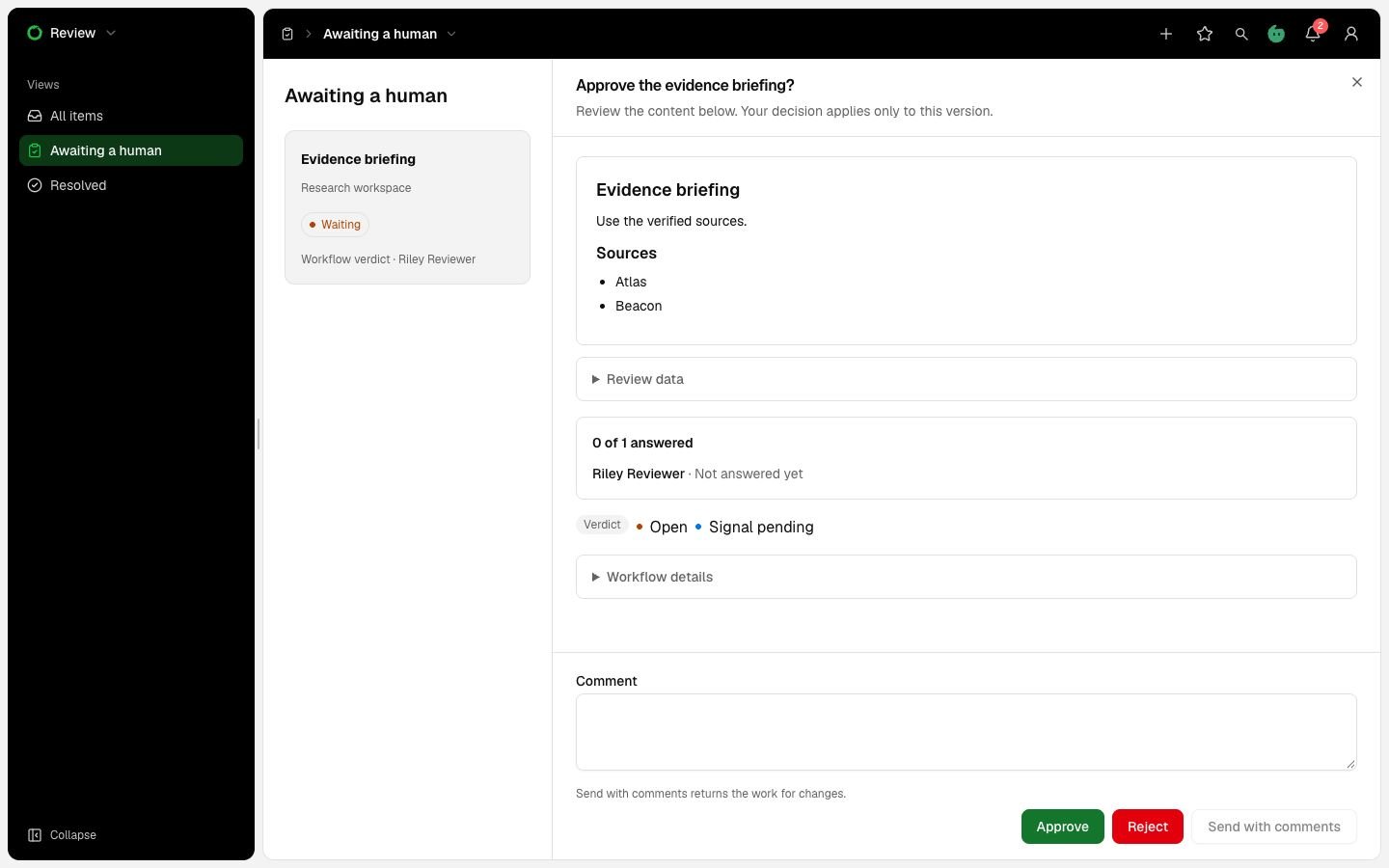
Illustrative workflow Verdict review showing the version to inspect, reviewer progress, comment field and decision controls.