

Select a small API contract
Choose an HTTPS endpoint returning this shape, or adapt the code and schemas to your API: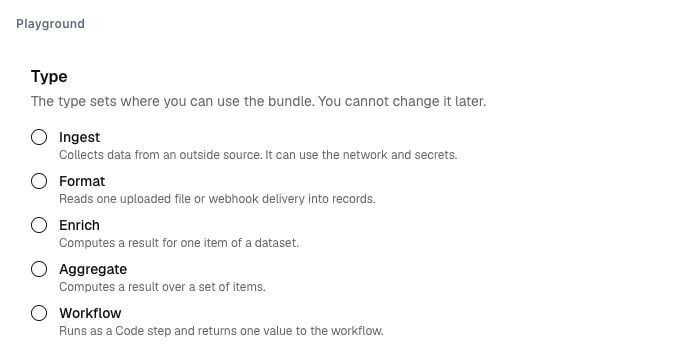
Illustrative current bundle controls. Choose Ingest for collection or Agent tool for a tool implementation. The type is fixed at creation.
1
Create an Ingest bundle
Open Forge → Bundles, create an Ingest bundle and add This collects one page per run. A null cursor starts again on the next run. Design a different completion policy for a finite export.
main.ts. The bundle type is fixed at creation.2
Declare the bundle contract
Set runtime Replace
2026.10, entrypoint main.ts and import zod at 3.23.8. Declare these fields in the bundle descriptor:api.example.com with your permitted host. The descriptor names source files separately in its published files map. Never put a token in the code or parameters.3
Publish and configure the job
Inspect the code, declared host, schemas and resource limits. Publish a bundle version.Create a job targeting your test dataset. Select and pin that published version. Set
endpoint to your permitted API URL. Keep triggers disabled.4
Run an isolated test
Start the job’s test run. Check the emitted records, validation errors and proposed cursor.Confirm that production records and the production checkpoint did not change. Test malformed input, an empty page and an unavailable endpoint. Inspect the failed cases as well as the successful one.A draft bundle cannot be tested. File-output tests retain digests and metadata, rather than file bytes.
5
Activate deliberately
After the same job/version passes, choose one bounded production run. Inspect the destination records and saved checkpoint.Repeated IDs should refer to the same source item. Changed content creates another item version. Add a recurring trigger only after checking this behaviour.