

Before you start
You need Vantage access, permission to create a workspace, and clearance for its chosen security level. To continue into data setup, use an existing dataset that you are authorised to include. You can complete the goal and membership steps before data is ready. The Bristol example is illustrative. It does not establish that a particular transport source is available, licensed for collection, or already connected.1. Prepare a short workspace brief
Use your research plan to write the purpose, analytical questions, and collection scope. For this exercise, prepare:
The workspace description records the goal. Keep this brief clear enough that another authorised analyst can understand what belongs in the workspace.
2. Create the workspace and record its goal
Open the workspace creation controls. Give the workspace the example name and put its purpose, questions, and collection scope in the description. Choose a security level that your clearance covers and that can accommodate the intended data. A new workspace starts at the lowest classification level unless its creator selects another permitted level. Every member must clear that level, and each attached dataset must fit within it. Save the workspace, then reopen its details and check the name, description, security level, and selected team access.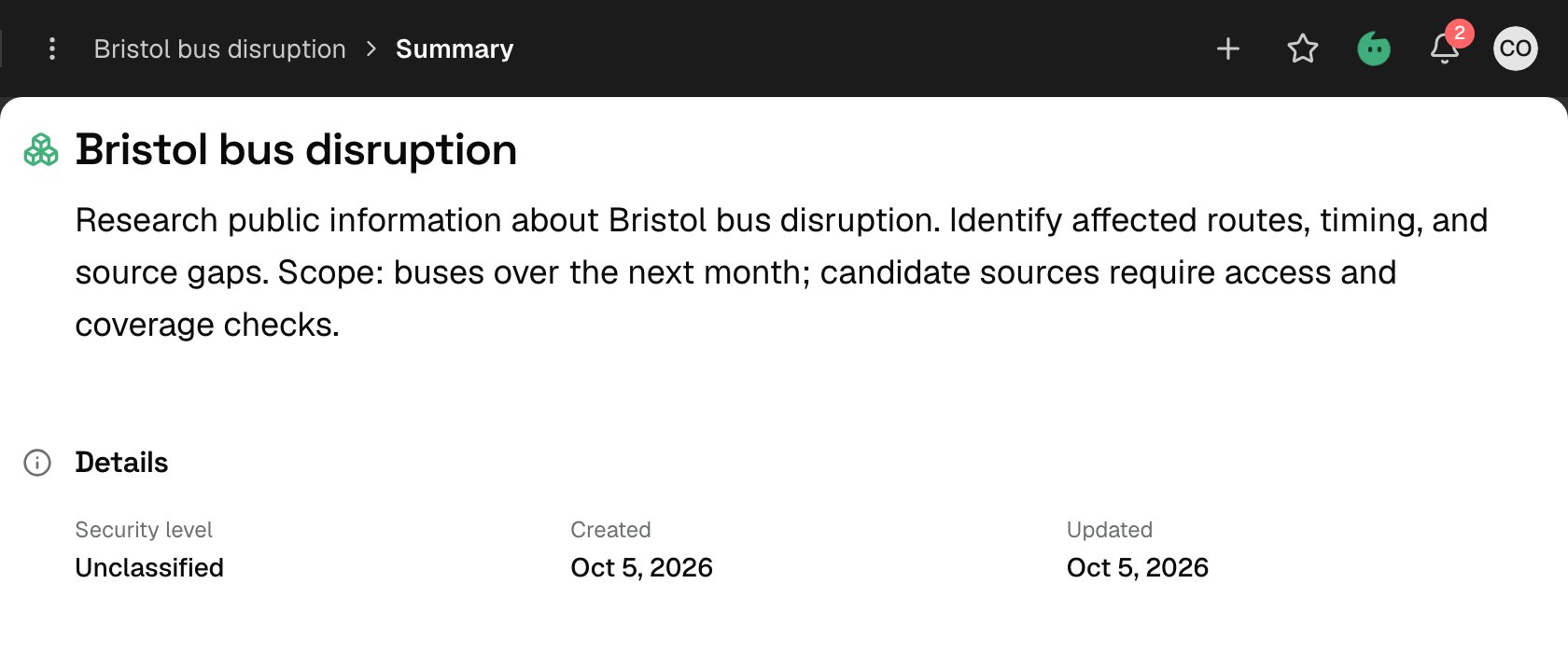
Illustrative workspace summary: check the saved goal and security level. Example content is shown.
3. Check who can enter
You are the initial Owner. Check the workspace’s actual member and team grants before asking someone else to use it. Check the team selected at creation and its access group. Add any other required users or teams through the membership controls, then verify their effective access before joint work begins. For this exercise, give an observing colleague Reader access and an analyst who will update workspace content Contributor access. Grant Owner only when that person should manage membership and the workspace itself. Follow Manage workspace members and security level for the permission and clearance checks.4. Prepare the starting data
Select an existing, permitted dataset relevant to the brief. Note what it contains, the period it covers, and any known processing or collection gaps. Use Organise data through collections to include it in the workspace. A dataset must belong to at least one collection before workspace analysis can select it. Creating the workspace or writing its description does not start collection or processing. If you do not have suitable data yet, keep that dependency explicit. A proposed operator-alert source is still a proposal until access, collection, and processing have been checked.5. Check the workspace before investigation
Confirm that you can:- Reopen the workspace and understand its purpose, questions, and scope.
- Identify its actual members, team grants, and access groups.
- Explain which starting datasets are attached through collections, or which data is still missing.
- Describe known coverage and processing limits without treating missing input as a finding.